Every new gadget launch in our house follows the same script: I read the announcement, I get a little excited, and then I ask the only question that matters for a kids’ device. Is it actually better, or just newer? Yoto’s new players landed right before gift season, so if you’re weighing the Yoto 4th Gen vs 3rd Gen this fall, here’s what changed, what’s still missing, and who should upgrade.
Quick note on what I own: we don’t have a Yoto or a Toniebox in our house. Our audio-and-story setup is a Little Tikes Story Dream Machine, and our Hatch Rest+ 2nd Gen (discontinued) handles the wake-up cue. Everything about Yoto below comes from Yoto’s own press release, product pages, and help center, not from my kid’s nightstand.
The Quick Answer: Who Should Upgrade?
- Upgrade to the 4th Gen if you’re buying a first Yoto or a gift, your kid would love grabbing favorites without hunting for a card, or you want the bigger full-panel night light for bedtime and wake-up.
- Keep your 3rd Gen if it already does the job, especially if your kid relies on interactive cards like quizzes or choose-your-own-adventure titles. Yoto says those aren’t fully working on 4th Gen players yet.
- Grab a 3rd Gen only if you find one at a price that makes sense and you don’t care about the Green Button. As of October 22, 2026, Yoto’s US store no longer lists the 3rd Gen Player, so you’d be shopping leftover stock or secondhand.
Yoto 4th Gen vs 3rd Gen: What’s Actually New
Yoto calls the 4th Gen its biggest hardware upgrade yet. According to its September 2026 launch announcement, both new players got a new processor, Wi-Fi 6, Bluetooth 6.1, double the storage, and a two-year warranty. Here’s how the Player lines up against the 3rd Gen, using Yoto’s own specs.
| Feature | Yoto Player 3rd Gen | Yoto Player 4th Gen |
|---|---|---|
| Cardless favorites | Right-button shortcuts (Yoto Daily, Yoto Radio, Yoto Sleep Radio by default) | New Green Button: day and night playlists, up to 20 titles each |
| Storage | 32 GB, 600+ hours of audio | 64 GB, 1,000+ hours of audio |
| Night light | Seven-color night light (turn the player face-down) | Redesigned full-panel night light, seven colors, adjustable brightness |
| Ok-to-wake | Ok-to-wake clock and night light | Day/night and Ok-to-Wake modes, okay-to-wake light and clock |
| Connectivity | Wi-Fi and Bluetooth | Wi-Fi 6 (dual-band) and Bluetooth 6.1 |
| Charging | USB-C, wireless dock sold separately | USB-C and wireless charging; works with the existing Yoto Wireless Charging Dock |
| Battery | Yoto has quoted both “up to 24 hours” (launch) and “up to 16 hours” (later product page), depending on test settings | Up to 16 hours; replaceable, with a replacement kit planned for 2027 |
| Headphones | Bluetooth or wired 3.5 mm | Bluetooth or wired 3.5 mm |
| Interactive cards | Work as expected | Not fully compatible yet |
| Warranty | Not stated on the pages I checked | Two years |
| Price | Launched at $119.99; no longer listed on Yoto’s US store | $149.99 on Yoto’s US store |
Prices and availability were checked on Yoto’s US site on October 22, 2026, and may change. The 4th Gen details come from the Yoto Player 4th Gen product page and the press release. The 3rd Gen details come from Yoto’s 3rd Gen launch post and its help center.
The headline change in the Yoto 4th Gen vs 3rd Gen matchup is the Green Button. Grown-ups set up two playlists in the Yoto App, one for day and one for night, and kids twist to browse and press to play. No card required. If you’ve ever watched a preschooler tear through a card case looking for the one story that “must be here somewhere,” you can see why Yoto led with this. Cards still matter, though. They’re how kids discover and collect new audio, and the 4th Gen plays them like before.
The less flashy changes may matter more over time. Double the storage means more audio living on the player for car rides and spotty Wi-Fi, and Yoto says downloads are faster and setup is smoother. The replaceable battery is a nice touch for a device you hope lasts until the kid outgrows it.
The Interactive Cards Catch, Explained Plainly
This is the part I’d want to know before spending $149.99. Yoto’s help center says interactive Yoto cards aren’t currently fully compatible with 4th Gen players. The new hardware runs on a new platform, and interactive features have to be rebuilt for it. Yoto calls this temporary, but it hasn’t shared a date.
In practice, affected cards fall into two groups:
- Cards that play, but differently. Some shuffle cards play in order instead. Some question-and-answer cards play the questions and answers back to back without pausing for your kid to respond.
- Cards that won’t play yet. Fully interactive titles, like choose-your-own-adventure stories, aren’t playable on 4th Gen players right now.
On Yoto’s list, English titles that won’t play yet include the Ultimate Disney Quiz cards, Dungeons & Dragons: Forge your Quest, the Spy Club cards, and Yoto Daily: Quizzes. Several DUPLO and phonics cards play but skip the pauses. Older Yoto players aren’t affected. If your kid lives on quiz cards, check each card’s product page first. Yoto says affected cards show a compatibility note there.
Can You Use a Yoto as an Ok-to-Wake Clock?
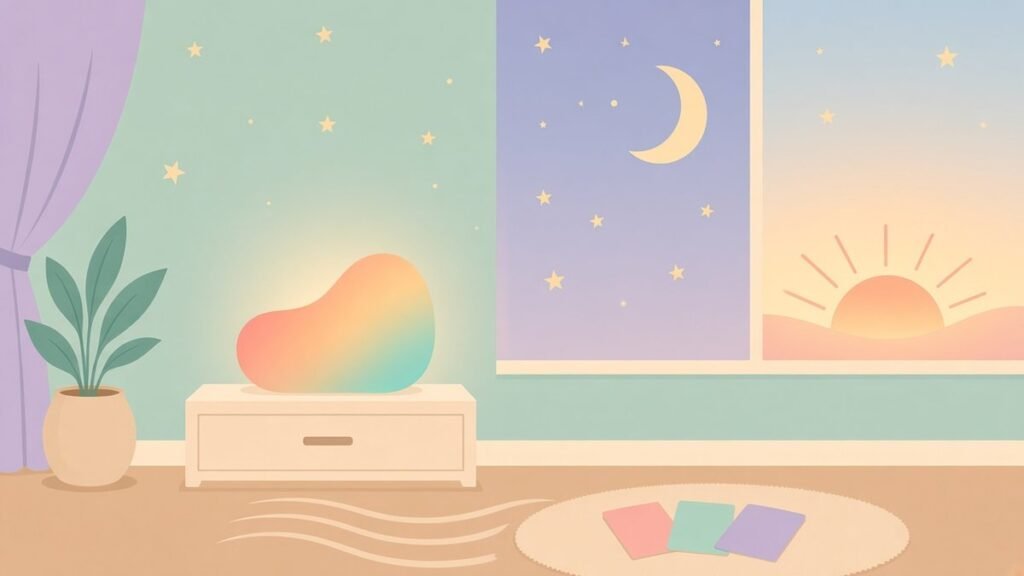
Yes. Yoto ok-to-wake features aren’t new, and the 3rd Gen already had them. In the Yoto App you set a morning time and a bedtime, and the clock switches between a moon and a sun. You can also pick different night light colors for night and day. Yoto’s own bedtime tips even suggest setting the night volume limit to zero so middle-of-the-night story sessions don’t happen.
The 4th Gen builds on that with day and night modes that switch the Green Button playlist, volume limits, night light colors, and clock cues automatically. Yoto lists okay-to-wake cues on both the 4th Gen Player and Mini. The full-panel night light is only on the Player.
So should a Yoto replace a dedicated ok-to-wake clock? It depends on your kid. Yoto rates its players for ages 3 and up, so for younger toddlers a simple clock that just glows may be the easier fit. A Yoto also puts stories within reach of the bed, which is great at 7 a.m. and less great at 5:15 a.m. For us, our Hatch Rest+ handles the morning cue. If you’re comparing dedicated clocks, I rounded them up in the best ok-to-wake clock for toddlers guide.
Yoto Mini 4th Gen in Brief
The Yoto Mini 4th Gen ($109.99) gets the same Green Button, 64 GB of storage, Wi-Fi 6, and Bluetooth 6.1. Yoto rates it IP67 for water and dust, says it was drop-tested 30,000 times, and lists up to 16 hours of battery life. It charges over USB-C, with no wireless charging listed.
The trade-off is light. The Mini has okay-to-wake clock cues but no night light. Yoto still sells the Yoto Mini 2024 Edition for $79.99, with up to 14 hours of battery, 32 GB of storage, and an OK-to-wake clock. The same interactive-card caveat applies to the Mini 4th Gen. If you’re weighing the Yoto Mini 4th Gen as a travel player for an older kid, the toughness upgrade is the real story.
Gift-Season Tips
- Mind the ship date. Yoto first estimated Player 4th Gen dispatch from October 15. As of October 2026, Yoto’s US product page shows estimated dispatch from November 2, 2026. If it’s a holiday gift, order with some cushion.
- Know the list prices. As of October 22, 2026, Yoto’s US store lists the Player 4th Gen at $149.99, the Mini 4th Gen at $109.99, and the Mini 2024 Edition at $79.99. Sales come and go, so check before you buy.
- Set it up before the big day. Yoto says the first play of each card needs Wi-Fi to download the audio. Unboxing, setting up, and loading the Green Button the night before saves a lot of “why isn’t it working?” on the morning itself.
- Check the card list. If the gift comes with interactive cards, look up each one against Yoto’s compatibility list first.
Yoto FAQ
Yoto 4th Gen vs 3rd Gen: which should I buy?
For a new buyer, the 4th Gen. It adds the Green Button, double the storage, faster hardware, a full-panel night light, and a two-year warranty. If you already own a 3rd Gen that works, or your kid depends on interactive cards, there’s no rush to upgrade.
Do old Yoto cards work on the 4th Gen?
Yoto says almost all of them do. The exception is interactive cards, which either play differently or don’t play yet on 4th Gen players.
Does the Yoto 4th Gen have an ok-to-wake light?
Yes. Yoto lists an okay-to-wake light and clock on the Player 4th Gen, with day/night and Ok-to-Wake modes. The Mini 4th Gen has okay-to-wake clock cues but no night light.
What age is the Yoto 4th Gen for?
Yoto says its players are suitable for kids ages 3 and up, and younger children can listen with a caregiver handling the device.
When does the Yoto Player 4th Gen ship?
As of October 2026, Yoto’s US site shows estimated dispatch from November 2, 2026. Check the product page for the latest date.
Related Reading
- Toniebox vs. Yoto in 2026, if you’re still deciding between the two brands.
- Best Ok-to-Wake Clock for Toddlers in 2026, for dedicated wake-up clocks.
- Best Baby Sound Machine 2026, if sleep sounds are the main job.
- Hatch Rest+ Discontinued?, on the light-and-sound machine in our own house.
The Bottom Line
The Yoto 4th Gen vs 3rd Gen decision comes down to two things: the Green Button and interactive cards. If you’re buying new, the 4th Gen is the one to get, with more storage, a better night light, and cardless favorites. If your 3rd Gen is happily playing quiz cards every afternoon, let it keep working and check back once Yoto finishes the interactive update.
Either way, may your mornings start with a sun icon and not a 5 a.m. story request.
Gesundheit.