
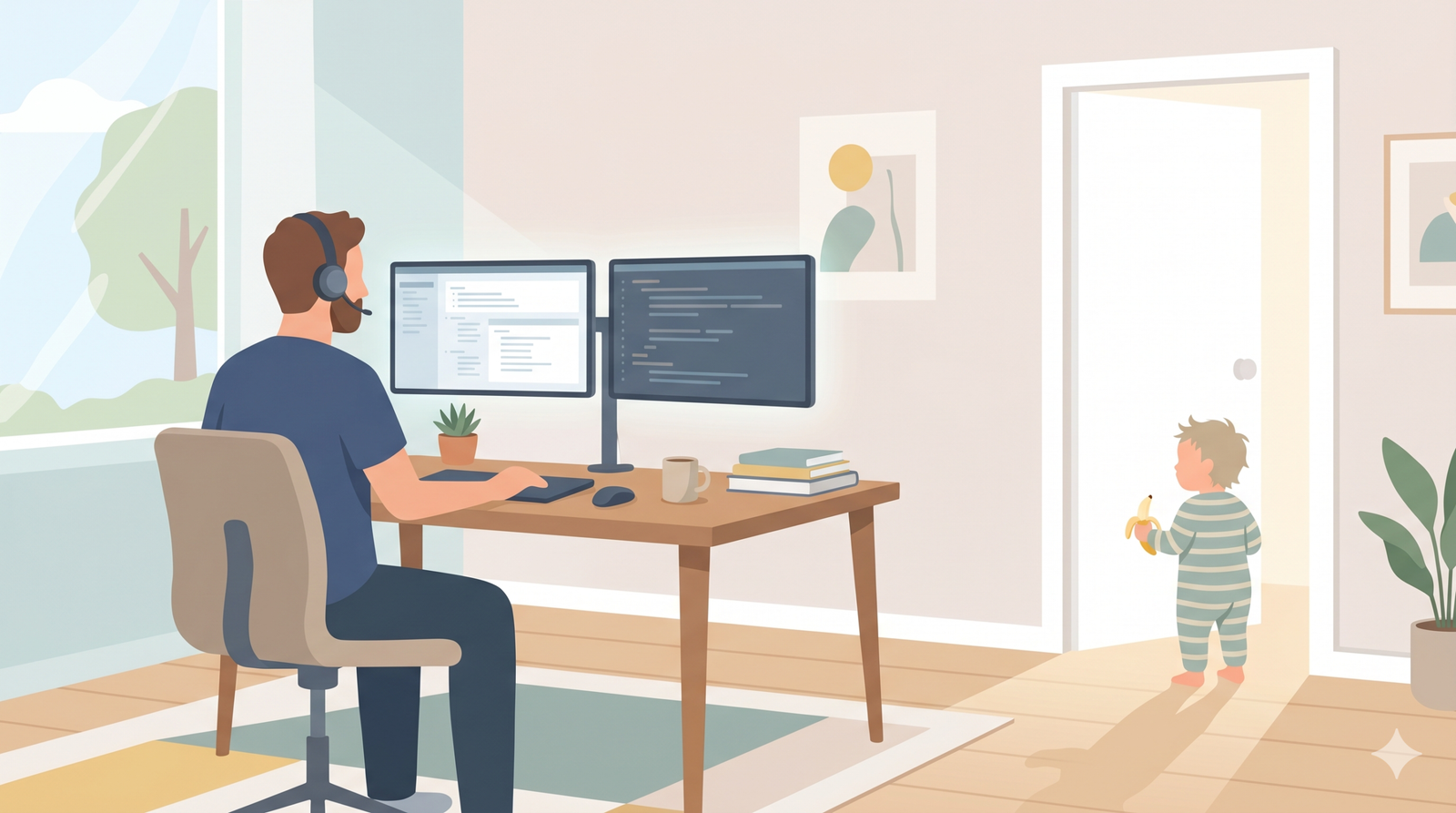
It’s 11:47 on a Wednesday. I’m in the middle of a quarterly review. The mute button is hovering one millimeter from my finger because I have learned, through repeated public humiliation, that it must always be hovering one millimeter from my finger. I’m answering a question about Q3 numbers when I hear it — the floorboard creak just outside the office door. Then the doorknob. Then the door, slowly, dramatically, like a horror movie I’ve personally produced.
Toddler. In the doorway. Holding a banana.
If you’ve ever Googled “kids interrupting work calls” at 11:47 on a Wednesday with a toddler in your peripheral vision and your director on your main monitor — welcome. You’re one of us. There are millions of us. And the parenting internet has not been helpful.
Here’s the thing nobody wants to say out loud: the standard advice for kids interrupting work calls is mostly bad. Every article tells you to teach your kid to gently tap your arm. Make a construction-paper door sign together. “Practice indoor voice” before the meeting. Have a meaningful conversation about boundaries with your three-year-old, who, last I checked, does not respect boundaries because they are three years old and that is, in fact, the entire job description of being three.
Look. The kid is fine. The kid is a kid. The fix is not the kid.
The fix is the setup.
You’re Not Alone (And This Is a Setup Problem, Not a Parenting Problem)
The BBC Dad video came out in 2017. A guy doing a live interview about South Korea, then his four-year-old marches in like she pays the mortgage, followed by his baby sister in a walker, followed by his wife in full panic-slide mode. Nine years later it’s still a meme. Still funny. Still happening to all of us, every day, in lower-stakes doses, in millions of home offices.
Around 22 million Americans now work from home full time. A huge chunk of us are parents of small children. Which means kids interrupting work calls isn’t an edge case — it’s the dominant lived experience of working parenthood in 2026. Nobody is pulling this off perfectly. The dad on your Zoom who looks like he has it all together? He’s just better at the mute button than you are.
Here’s what almost nobody covers: the actual gear that makes this manageable. The parenting blogs want to talk about emotional regulation. The HR sites want to talk about “setting boundaries with stakeholders.” That’s all fine. Doesn’t help me when the door opens at 11:47 and the kid wants me to acknowledge a banana.
What helps is having the right setup. A headset that cuts the mic in hardware before the kid finishes saying “Daddy.” A door that doesn’t open from the wrong side. A backup plan that occupies the toddler before the meeting, not during. A webcam and lighting setup that, when the kid does win — and the kid will win sometimes — makes you look like a competent professional with a family, not a hostage in his own basement.
That’s what the rest of this article is about. Five layers of setup, in priority order, that take this from a daily crisis to a manageable Tuesday. Most of it costs less than fifty bucks per category. All of it is the kind of one-time fix that pays itself off the first time you survive a board meeting without going viral.
Why Kids Interrupting Work Calls Is Actually a Setup Problem
Quick reframe before we dig in. The reason every “tips for working with kids” article on the internet feels useless is that they’re treating this as a behavior problem. It’s not a behavior problem. It’s a gear gap. (If you do want the behavior side, the CDC’s positive parenting tips are genuinely useful. Just maybe not at 11:47 mid-call.)
When the kid walks in during a call, what actually goes wrong is a sequence of small physical failures. Your mic was hot. The door wasn’t locked. Your overhead light was bad and now you look terrible while you scramble. The kid wasn’t occupied with anything specific so they came looking for you. There was no audio buffer between their world and yours.
Each one of those is a product. Each product is a one-time purchase. Stack five of them on top of each other and the daily crisis stops being daily. That’s the whole pitch. Now let’s get into it.
Layer 1: Audio Defense — Your Mic Is The Problem, Not Your Kid
The single biggest failure mode of kids interrupting work calls isn’t the kid being there. It’s the kid being there while your mic is hot. The kid yells “DAD I NEED A SNACK” and the entire sales team learns about your snack situation in real time. That’s the moment that ends up in the company Slack channel.
Software mute buttons are not your friend. They live somewhere on your screen, they take three to four seconds to find, and by the time you’ve clicked them the damage is already on someone’s recording. What you need is hardware mute. A physical button or a mic boom that you can flick in half a second without looking. That’s the difference between “the kid came in” and “the kid was almost on the call.”
Dad’s Top Pick: Jabra Evolve2 65 Wireless Headset
This is the gold standard for WFH headsets and it’s not particularly close. The reason is the boom mic — flip it up to mute, flip it down to unmute. That’s the entire interface. No software lookup, no mouse hover, no chance of getting it wrong. By the time the kid has crossed the threshold of your office, your mic is off and you’re already on your way to deal with it.
Beyond the boom mic, the Evolve2 65 has 37 hours of battery life (it’ll get through a full work week without charging), 40mm speakers that handle calls and music equally well, three microphones with digital noise filtering to cut background conversation from your call audio (there’s no active noise cancellation for your ears, though — it relies on passive isolation from the ear cushions), and a built-in busylight on the earcup that turns red when you’re on a call. That last feature deserves its own bullet point — your spouse can see at a glance whether you’re free or on a call without opening the door to ask. Marriage saver.
The price is a real consideration — this thing runs roughly $200-300 depending on the version. But you’ll use it eight hours a day, every day, for the next several years. Per-hour, it’s the cheapest thing on this list.
Official page: Jabra Evolve2 65 at Jabra
Best Budget Pick: Logitech Zone Wired 2
If you can’t justify $200+ on a headset, the Logitech Zone Wired 2 gives you the same flip-to-mute boom mic functionality for around $130. USB-C plug-and-play (with a USB-A adapter in the box), noise-canceling mics so your kid’s background commentary doesn’t make it onto the call, adaptive hybrid ANC on your end, and built-in buttons for calls, volume and ANC.
You lose the wireless freedom and the busylight, but the mic functionality — the part that actually saves you on the call — is essentially the same. For a lot of people, this is the right answer.
Official page: Logitech Zone Wired 2 at Logitech
Best Add-On: MuteMe Mini Physical Mute Button
If you already have a headset you like, or you’re using AirPods, or you just want a backup mute that’s hard to miss, the MuteMe Mini is the move. It’s a USB-powered illuminated button that syncs with Zoom, Teams, Google Meet, WebEx, and most other major platforms through MuteMe’s companion app (Windows and macOS; MuteMe says ChromeOS isn’t supported), so plan on installing that first. Glows red when your mic is hot, glows green when you’re muted. One tap to toggle.
The sneaky benefit: it’s visible to anyone walking into the room. Your kid sees a glowing red light on your desk and learns, eventually, that red light means Dad is on a call. Give a toddler a week or two to figure that out. That’s still faster than any “let’s talk about boundaries” conversation has ever worked.
Official page: MuteMe Mini at MuteMe
Layer 2: Door Defense — Stop the Physical Interruption Before It Starts
Audio defense handles what happens when the kid is in the room. Door defense handles whether the kid gets in the room in the first place. This is the layer most people skip and then suffer for.
The goal isn’t to lock your kid out — that gets weird, and you still want to be reachable for actual emergencies. The goal is to add about three seconds of friction. Three seconds is enough for your spouse to redirect the kid before they reach the door, enough for the kid to lose interest and find something else, and enough for you to wrap a sentence and hit mute if they do still come in.
Dad’s Top Pick: Luxafor Flag Busy Light
This is the classic visual signal — a small USB-powered LED flag that mounts to the back of your monitor or your door frame. Red means busy, green means available. It can sync automatically with Microsoft Teams to flip red during calls without you doing anything, or you can control it manually with a hotkey.
The reason this works better than a paper sign is that paper signs require reading. Your toddler can’t read. A red light is universal. Stick the Luxafor on the outside of your office door (or right above the doorknob at kid eye level) and within a couple of weeks the household has internalized that red light = stay out. Spouse benefits from this too — no more “are you on a call” texts when you’re staring at the monitor with your headset on.
Official page: Luxafor Flag at Luxafor
Best for Toddlers Specifically: Jool Baby Door Knob Covers
If your kid is in the “can operate a doorknob but not yet capable of impulse control” stage — call it 18 months to about four years — a doorknob cover is non-negotiable. These are the round plastic shells that snap over a standard round doorknob. Adults can squeeze the inner mechanism through the side holes to turn it. Kids have a much harder time getting the grip right. Same idea as magnetic cabinet locks in the kitchen: grown-ups get in, tiny hands get a polite no.
The Jool Baby version is a four-pack for around ten bucks, snaps on with no tools, and doesn’t damage your door. Important note: only use these on interior doors. The whole point is that the door becomes a little harder to open, which is the opposite of what you want on a fire escape route. Office door, bathroom door, basement door — yes. Front door — never.
Official page: Jool Baby Door Knob Covers (4-pack) at Jool Baby
Pair this with the busylight and you’ve solved 80% of physical interruptions. Kid gets to the door, sees the red light, can’t easily turn the knob, gives up and goes back to whatever they were doing. That’s the whole play — three seconds of friction, no lock, no lecture.
Layer 3: Distraction — Give Them Something Better to Do
Here’s the truth nobody who doesn’t have small kids understands: a kid doesn’t actually want to interrupt your call. A kid wants to be doing something interesting. If they’re not doing something interesting, the most interesting thing in the house is whatever Daddy is doing in the room with the closed door. Reduce the difference in interest level and they stop coming.
This isn’t about screens, by the way. Screens work, but they have their own costs and most parents don’t want to default to YouTube every time they have a meeting. The goal is to have two or three things ready to go that the kid genuinely enjoys and that you can deploy fast when you see a meeting coming up.
Dad’s Top Pick: Yoto Mini Audio Player
If you don’t know about Yoto yet, get ready. It’s a small screen-free audio player for kids. You feed it physical cards — audiobooks, music, podcasts, learning content — and it plays them. No screen, no microphone, no camera, no ads. The kid controls it themselves with chunky buttons they can actually operate.
What makes the Yoto Mini perfect for the WFH-with-kids problem is that it gives a preschooler (Yoto rates it for ages 3 and up) 15-30 minutes of self-directed entertainment that doesn’t involve a screen and doesn’t require a parent in the loop. Pop in a story card, hand it to them, close the office door. They’re occupied. You’re on your call. Everyone wins.
The ecosystem keeps growing too — there are over 1,000 cards now, including a lot of stuff licensed from major kids’ brands. The Mini lists at $79.99. One safety note: Yoto Minis sold between November 2021 and April 2024 were recalled over a battery overheating hazard — if you have an older one, check the CPSC recall notice for the free battery replacement kit.
Official page: Yoto Mini at Yoto
The Backup Plan: Puro Sound Labs Kids Headphones
For the times when a screen is the answer (dad approved, no judgment here), volume-limited kids’ headphones are essential. Two reasons. One, it protects their hearing — most volume-limited kids’ headphones cap out at 85dB — Puro, for one, says it follows a World Health Organization recommendation for that limit. Two, and more importantly for this article, it puts the audio in their ears instead of broadcasting their show into the rest of the house and onto your call.
The Puro BT2200 Plus is the dad pick here. Puro builds them with durable vegan-leather cushions and swappable on-ear/over-ear cups for a better fit, rates the battery at up to 20 hours on Bluetooth, and makes the 85dB cap the headline feature rather than an afterthought. Wireless or wired, your call.
Official page: Puro Sound Labs BT2200 Plus at Puro
Pair the Yoto for the no-screen days and the Puro headphones for the screen days, and you’ve covered the distraction layer for most of the kid’s waking hours during your work day.
Layer 4: Damage Control — Look Pro When Chaos Breaks Through
You’ve stacked audio defense, door defense, and distraction. You’ve done the work. The kid still wins sometimes. They will pick the worst possible moment because that is what kids do. The question becomes: when the door does open and the toddler does appear, do you look like a competent professional with a family, or do you look like you’re doing the call from a closet with bad lighting?
This layer is the difference. And it’s the one nobody tells you about.
Webcam Upgrade: Anker PowerConf C200
The webcam built into your laptop is bad. It’s been bad since 2014 and it’s still bad. Low resolution, terrible low-light performance, fixed focal length so the kid walking in shows up as a blurry ghost in the background. The Anker PowerConf C200 is the inexpensive upgrade — 2K resolution, automatic low-light correction, three field-of-view options (so you can crop to just your face or include more of your background), and dual mics with AI noise cancellation as a backup to your headset mic.
The low-light correction is the killer feature for WFH parents. You’re often in a windowless or poorly-lit room. The C200 makes you look bright and clear regardless. When the kid does pop into frame, you both look intentional rather than ambushed.
Lighting and Background
Once your camera is decent, the next two upgrades are lighting and background. I won’t go deep on either here because we’ve already covered them in detail elsewhere on the site, but the short version:
A monitor light bar mounted to the top of your screen lights your desk without glare on your monitor — but most bars use an asymmetric design that aims the light down at the desk, not at your face, so don’t count on one to fix how you look on camera. For calls, add a separate key light (a small LED panel or lamp aimed at your face from just above or beside the webcam) so your colleagues stop seeing a silhouette and start seeing a face. We did the full light bar breakdown in our guide to the best monitor light bar for home office.
A clean cable management setup behind you matters more than you think. The reason is psychological — when the kid bursts in and the camera pans your messy desk, the chaos compounds. When the desk looks orderly, even an interruption feels like part of a controlled environment. We covered the whole stack — trays, sleeves, ties, raceways — in our cable management guide.
The combination of a good webcam, even lighting, and a clean background means that when the kid does break through, the visual story is “competent dad, in his actual home, briefly handling a kid.” Not “guy in trouble.” Big difference.
Layer 5: The White Noise Wedge — Buy Yourself Time With Sound
Final layer, and the one that connects everything. A sound machine in the kid’s room — or in a shared family space — does two things that are both critical for WFH-with-kids life.
One, it masks the audio from your office in the kid’s direction. Your call still carries just as far, but it blends into the background, so the kid is less likely to notice it and come investigate.
Two, and this is the one that matters more, it masks their audio in your direction. To be clear, nothing actually gets quieter — the TV they’re watching, the music they’re playing, the meltdown they’re having about a banana that broke in half are all just as loud. What changes is that there’s a steady layer of white noise underneath, so the spikes stand out less to you. It won’t reliably keep a determined kid off your mic, though — that’s still the job of the boom mic and mute button from Layer 1.
This crosses over into our baby & toddler content directly. We’ve already done the deep dive on the gear in our full guide to the best baby sound machines, and I personally use a Hatch Rest+ in our kid’s room every single day for exactly this purpose. There’s also a related piece on whether you actually need a baby sound machine — same logic, different angle, worth a read if you’re on the fence.
One more crossover worth mentioning: when the kid is napping during your work hours, a non-WiFi baby monitor lets you peek at the nursery without giving up the privacy and reliability that come with keeping baby gear off your home network. Our breakdown of the best non-WiFi baby monitors covers the picks and the why.
The Bottom Line
Now run it back with the full stack in place. Same Wednesday. Same 11:47. Same quarterly review.
The toddler approaches the office door. The Luxafor light is red. The doorknob is harder to turn than they remember. They give up and go back to the story playing in the living room. The director on my main monitor finishes her question. I answer it cleanly, with no audible chaos in the background, because my mic was muted before my brain even registered the threat. Three minutes later the meeting ends. I open the door. The toddler is on the floor laughing at the story. Hands me half a banana.
I eat the banana.
The math on this whole article: the full stack — Jabra Evolve2 65 ($200), Luxafor Flag ($32), Jool Baby doorknob covers ($10), Yoto Mini ($80), Puro headphones ($99), Anker C200 webcam ($70), monitor light bar from our other guide ($40) — comes to roughly $530 if you go premium on the headset. Even cheaper if you skip a couple of the layers you don’t need.
That’s a one-time spend that pays itself back the first month you don’t have a public Zoom meltdown. And it’s the kind of setup you can build over a few paychecks — start with the headset and the busylight, add the door cover and the audio player next month, finish out with the webcam and lighting whenever it makes sense.
Your kid is fine. They were always going to be fine. The job is to fix the setup so that being fine doesn’t have to mean being on your call.
Gesundheit. Dad’s got it.
FAQ
Is it unprofessional when kids interrupt work calls?
Genuinely no, and the data on this has shifted hard since 2020. Most managers and clients now treat occasional kid interruptions as a normal part of remote work life — what reads as unprofessional isn’t the interruption itself, it’s how it’s handled. A quick mute, a calm “give me one second,” and a return to the conversation is fine. What reads badly is a chaotic on-mic scramble, repeated interruptions over a single call, or a parent who can’t recover and refocus. The setup in this article exists specifically to handle the first scenario well so the second one doesn’t happen.
How do I stop my toddler from interrupting Zoom meetings?
The honest answer: you don’t fully stop them, you reduce the frequency by stacking small physical fixes. A busylight on the office door teaches them visually that you’re unavailable. A doorknob cover adds three seconds of friction that’s often enough for a spouse to redirect them. A pre-loaded distraction like a Yoto Mini or a sensory bin gives them something better to do during the meeting window. None of these work alone — they work together. Expect the first week to feel like nothing changed and the second week to feel like the whole house works differently.
What’s the best headset for working from home with kids?
Any headset with a flip-to-mute boom mic, hands down. The model matters less than the mute mechanism. The Jabra Evolve2 65 is the premium pick because the boom mic is excellent and the busylight on the earcup signals to anyone in the room that you’re on a call. The Logitech Zone Wired 2 is the budget version that delivers the same flip-to-mute functionality. A lot of consumer headphones make you hunt for a software mute button on screen, which is exactly the wrong design when there’s a toddler bearing down on you. (AirPods do better than most: on AirPods 3, AirPods 4 and AirPods Pro, pressing the stem mutes and unmutes you during a call — on a Mac, the call app has to support it. A flip-up boom mic is still the most foolproof.)
How do I keep kids quiet during work calls?
The strategy that actually works is managing the noise rather than trying to make the kid quiet. A sound machine running in the kid’s space (or a shared family space) doesn’t lower the volume of anything — it masks normal kid noise so it’s less distracting, but your mic can still pick it up. Volume-limited kids’ headphones actually do cut the noise for screen-time audio — the show stays in their ears instead of broadcasting through the house. Combine those with a closed-back headset that has good passive noise cancellation (Jabra says the Evolve2 65’s ear cushions block 48% more noise than the original Evolve 65) and the audio gap between you and your kid widens by a lot.
Should I tell my coworkers I have kids at home?
Yes, briefly and proactively, then drop it. A one-time mention at the start of a recurring meeting — “heads up, I’ve got young kids at home, you might hear something occasionally” — pre-empts any awkwardness if an interruption does happen. After that, don’t bring it up again. Don’t apologize repeatedly during meetings. Don’t over-explain when the kid does appear. Just handle it calmly, mute, redirect, unmute, and move on. Coworkers respect competence, not contrition. The setup in this article is what lets you handle interruptions calmly instead of dramatically.
Prices as of October 2026 and may have changed since.